Shifts Web App
Designing a simple and modern shifts management application for small to large scale teams.
Overview
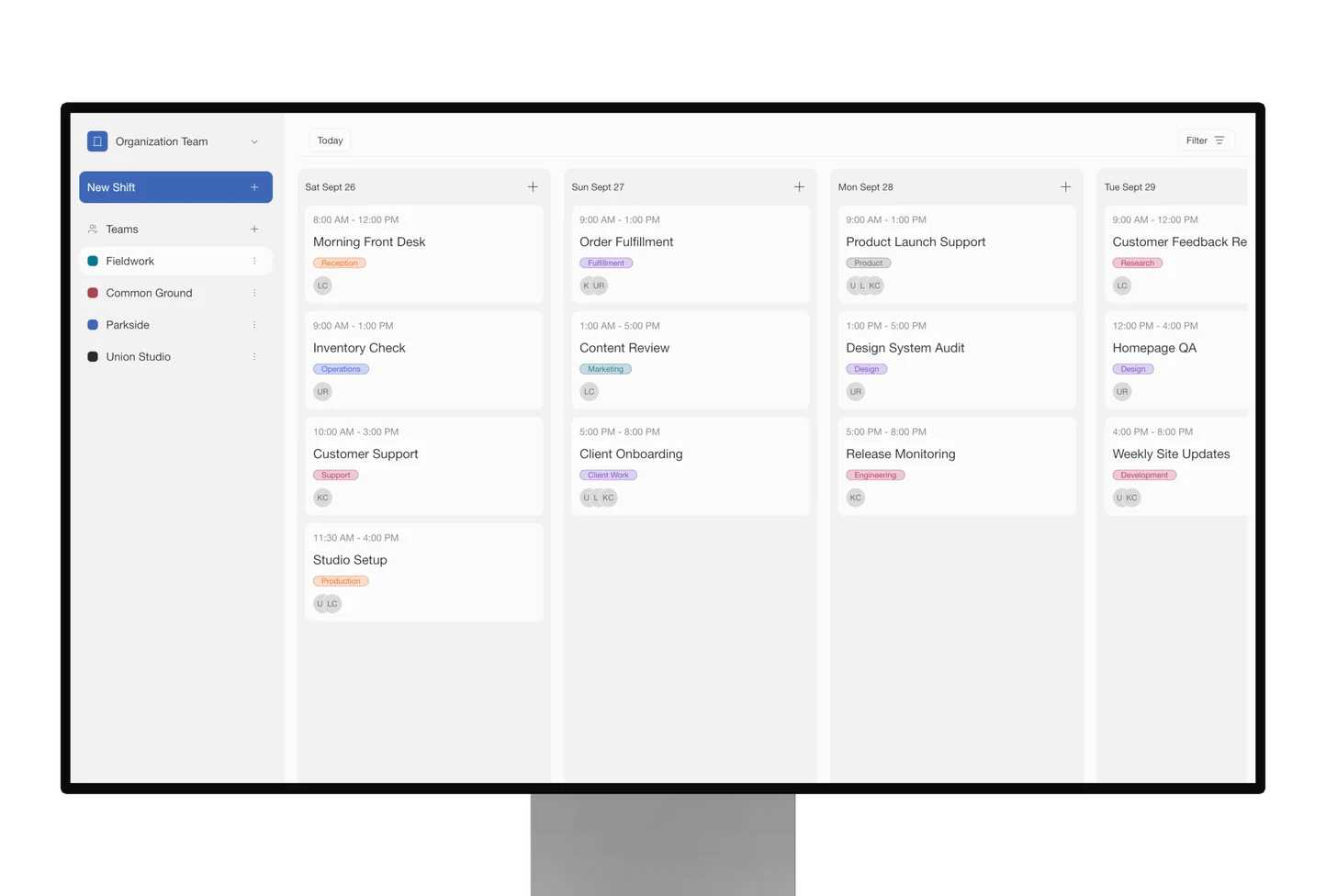
Shifts is a web application designed and built to allow small and large teams to keep track of their teams shifts, assign team leads, add notes and instructions for their teams to follow. Shifts was designed to be simple and modern which makes it easy to use and easy to sign in to.
Outcome
A small local nonprofit tested the prototype with their event security team over four days, scheduling about 15 members across 3 teams and creating 20 to 30 shifts. They liked how shift creation let them add a title, assign members, and use labels to filter and check coverage, with the properties panel giving a quick overview of each shift. Coverage became visible without a spreadsheet, which supported the core bet. The main gap was communication: they wanted to invite members and send shift notifications with instructions, which the prototype couldn't do yet. I logged bugs in Linear, shipped a notes field in the properties panel, and focused on design refinements and component fixes, while backlogging team invites and notifications for a future version.
Research
Market gap. Nonprofit-style shift work falls between two product categories. Employee schedulers (When I Work, Deputy, Homebase, Connecteam, Sling, Shiftboard) are built for paid hourly teams: strong on open shifts, swaps, and labor cost, priced per user. Volunteer tools (SignUpGenius, Better Impact, VolunteerHub, Volgistics, Bloomerang, WhenToHelp) are strong on signups and hours/CRM but weak on daily ops. A real hybrid, staff and volunteers on one operational calendar, is rare. On price, both sides squeeze small orgs: per-seat fees, per-volunteer growth taxes, and reminders/SMS paywalled behind free ad-supported tiers.
Coordinator pain. Most coordinators run schedules through spreadsheets and group texts, with no single view of who's working when. That leads to double bookings, stale rosters, and understaffed days that go unnoticed. No-shows/backfill are a known pain point industry-wide, but we deprioritized them for this prototype to focus on the more foundational problem first.
Scope decision. Core failure we designed around: managers can't see staff coverage without a spreadsheet. That narrowed the Sept 18 prototype to one calendar plus staff roster, not full workforce management, not volunteer-first. Swaps, reminders, payroll, and mobile claim flows were explicitly cut.
Design references. Instead of benchmarking scheduling software, we studied Linear (dense lists, side-peek detail, quiet status, hairline structure) and Notion (one dataset, multiple views, chips/properties, calm neutrals). North star: a calendar that feels like a work OS, not a digitized timesheet.
What v0.01 showed. The day-column shift-card interaction shell worked well: creation, side panel, labels, priority, notes, delete. But the board shows shifts on days, not people against coverage. There are no staff rows, no headcount, no gap cues, no role field, and the roster still lives separately under Teams. Takeaway: the shell is right; the next research bet is making people, assignment, and coverage gaps first-class on the same surface.